Book Review Page
This project is part of a retro-inspired personal website built with Next.js and React. It stores book data in a consistent model and offers filtering by genre and rating. Users can switch between a grid and list view; each card includes the book cover, information about the book, star ratings, and an expandable review. The layout emphasizes maintainability with the useMemo Hook.
Book Reviews Page
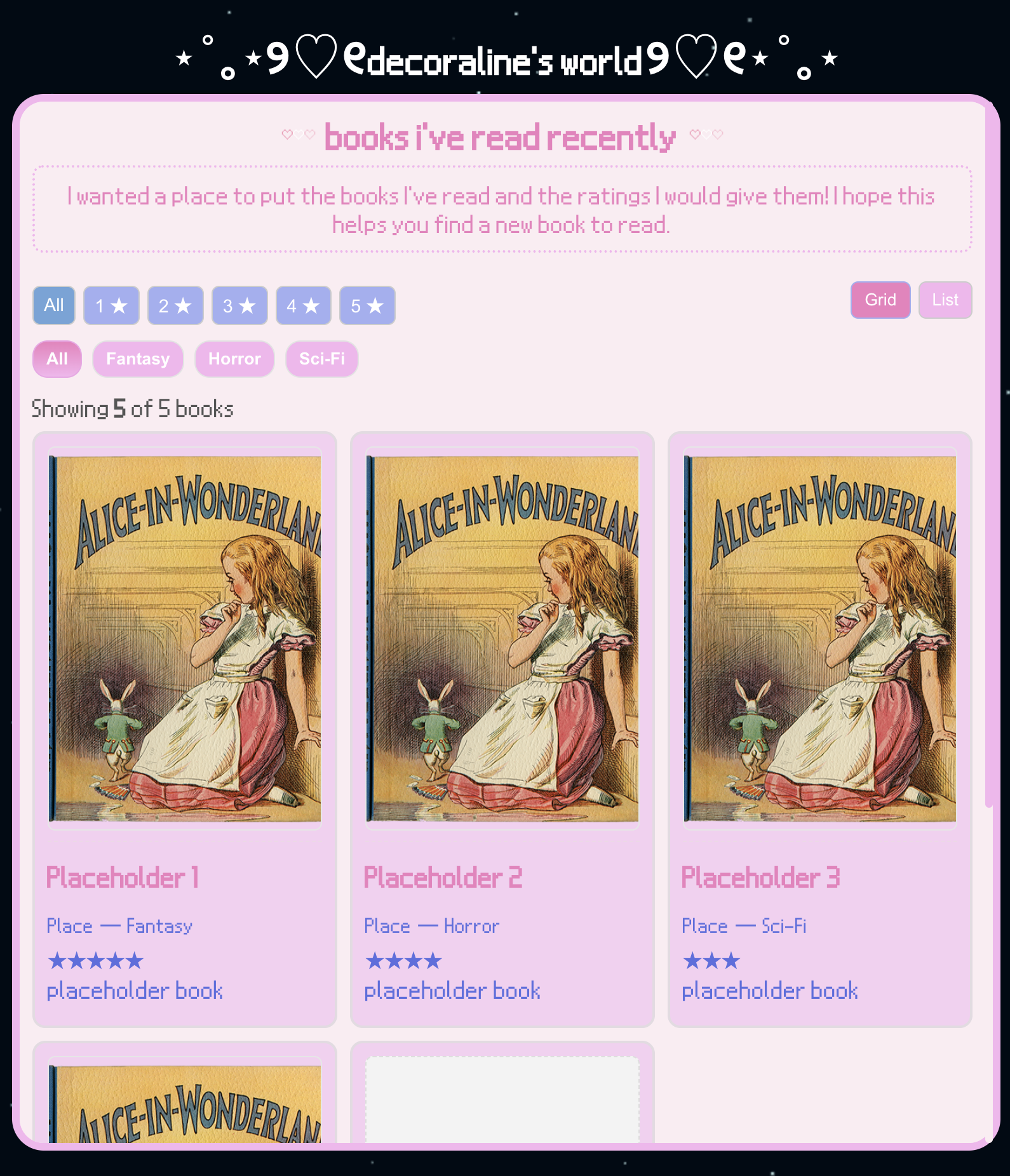
This is one of my favorite pages of my website. I challenged myself by making a review page that can be filtered by star rating and the genre of the book. A new genre isn't added to the filter list unless a book of that genre is added. You can also choose if you want to look at the grid or list view. I created the filter by using the useMemo Hook to optimize the performance, and I used useState to handle the switch between the grid and list view.
This is the grid view of the page. It shows the title of the book, the author, genre, star rating, and brief description.
Reviews Page Hover
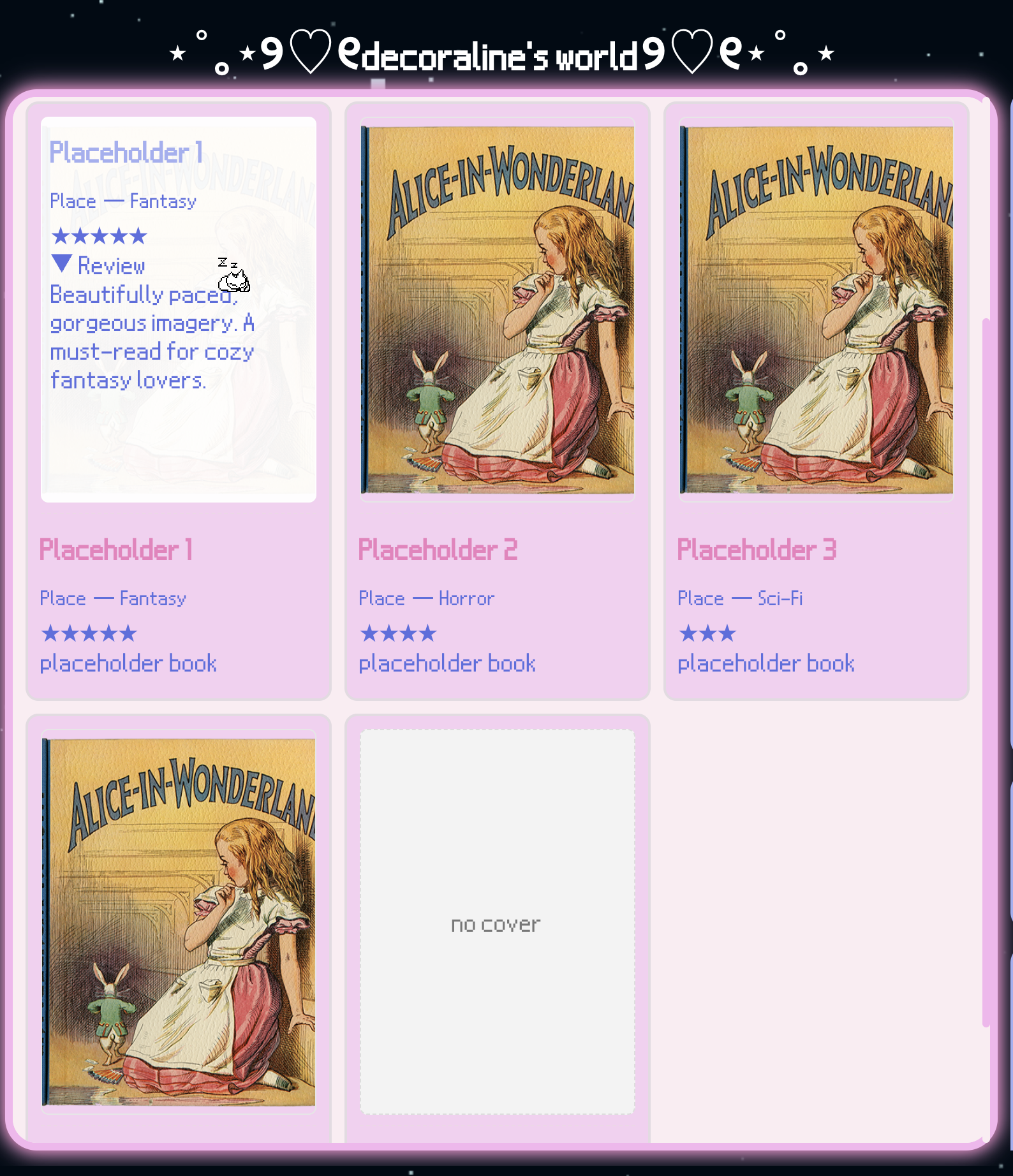
This is what it looks like when you hover over the cover of the book in grid view. Hovering over the cover shows my written review of the book. This image also shows the default cover that shows if there is no image set.
Book Reviews Filter
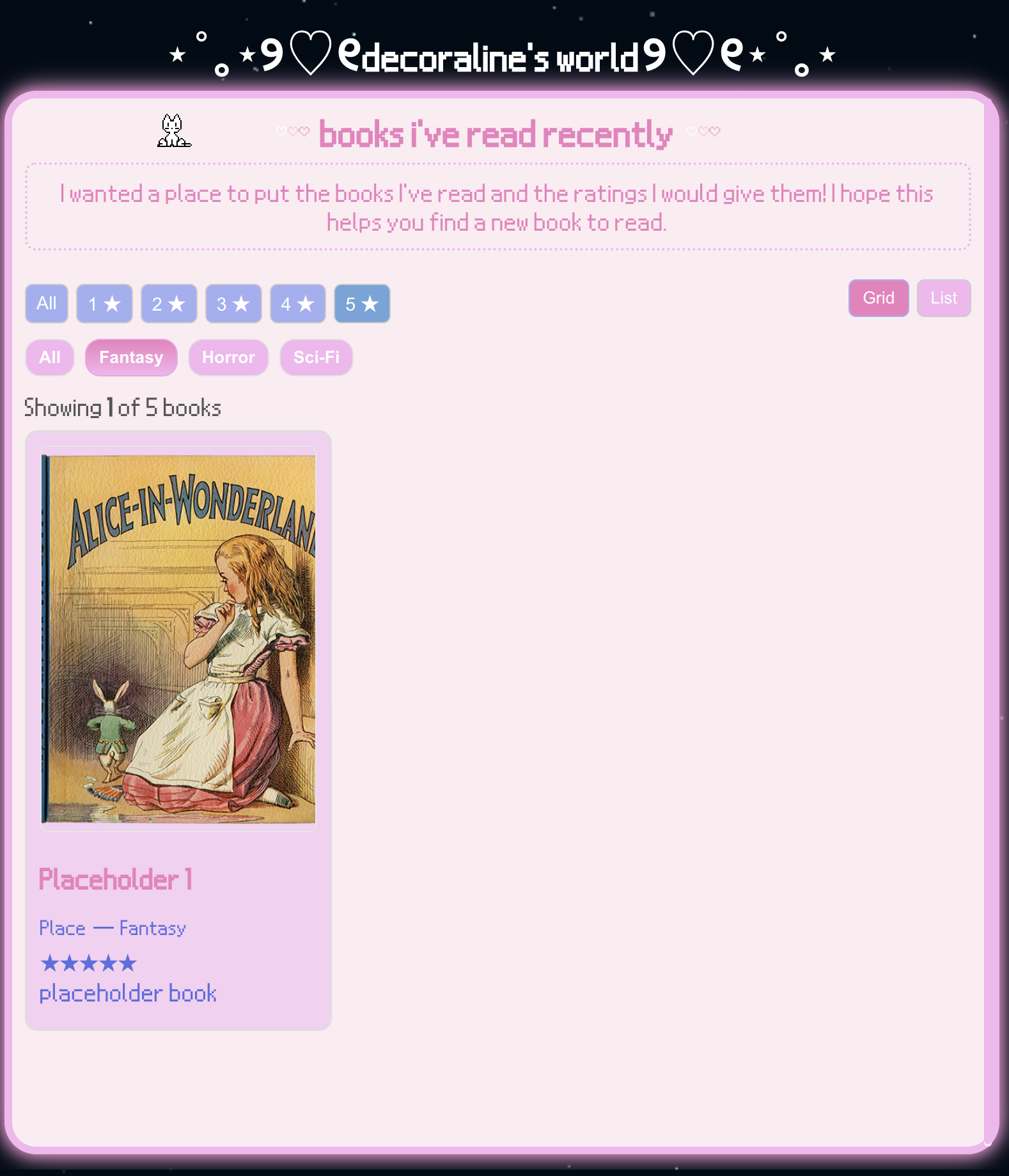
This is what it looks like with the 5 star rating and the Fantasy filter applied. Any books that don't match the star rating or genre chosen doesn't show up.
Reviews Page List View
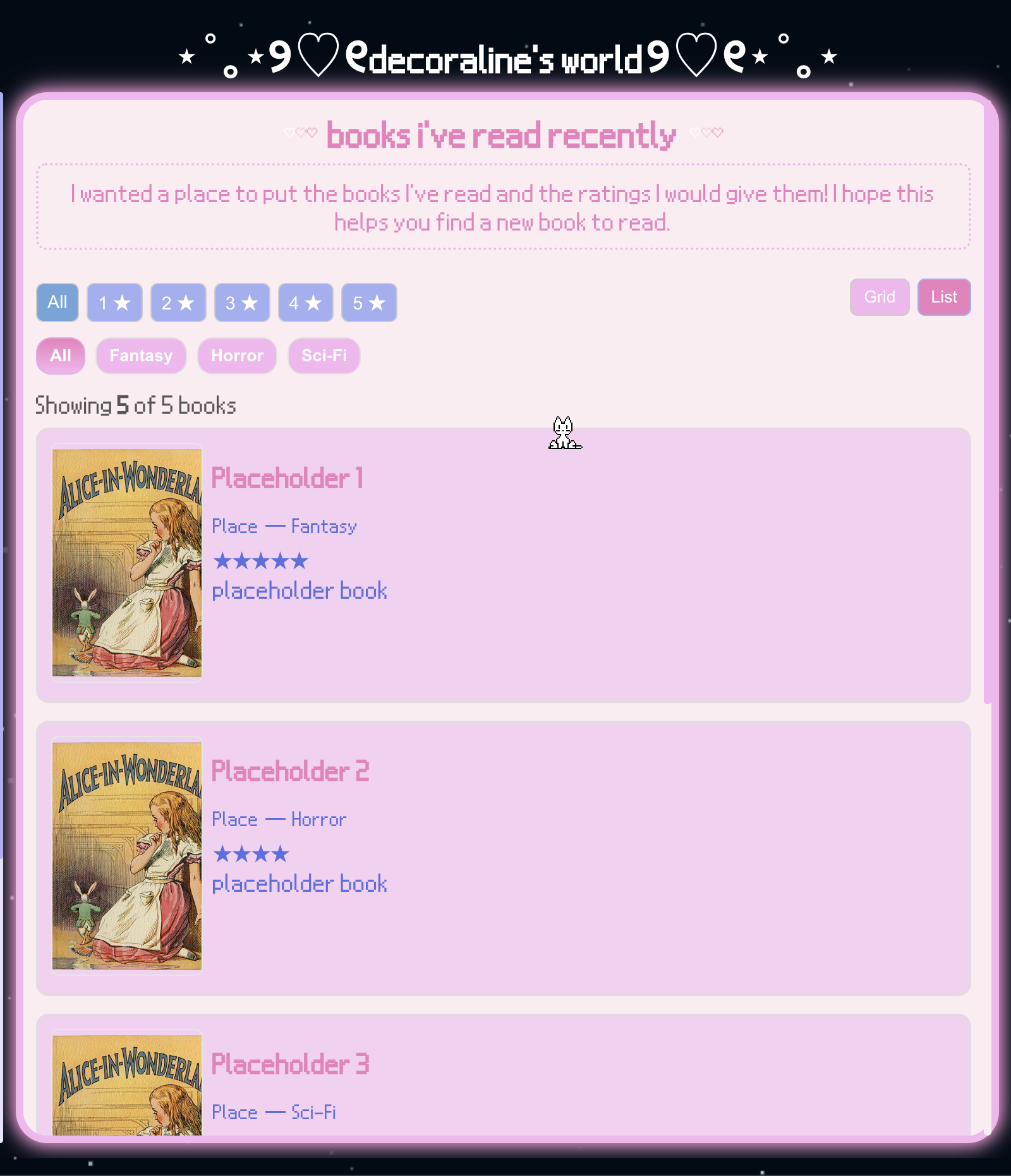
This is the list view. It shows the title of the book, the author, genre, star rating, and description.
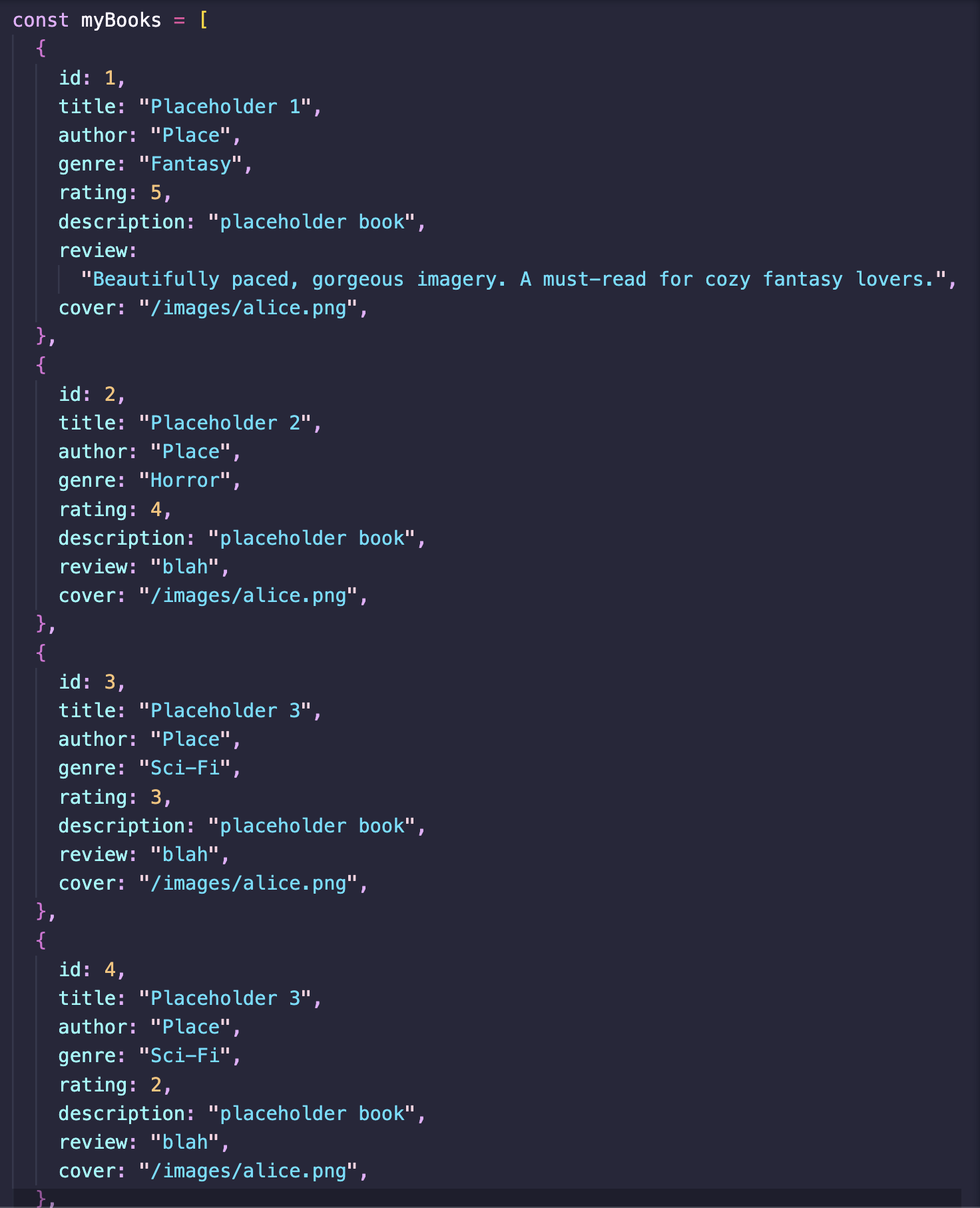
Books Array
This array holds the information for all of the books. it keeps track of the id, title, author, genre, rating, description, review, and cover of the book. Keeping the content in a structured array makes it easy to filter and render the list. Doing it this way allows me to use the information for each book without having to rewrite it.

States and View Mode
These useState hooks control the UI: which genre is active, which rating filter is selected, and whether the books show in a grid or a list.
Genre List w/ useMemo
This creates the list of genres shown to the user by extracting the genres from the book data. Wrapping it in a useMemo ensure the computation only runs once (or when dependencies change), which ensures the performance is optimized.

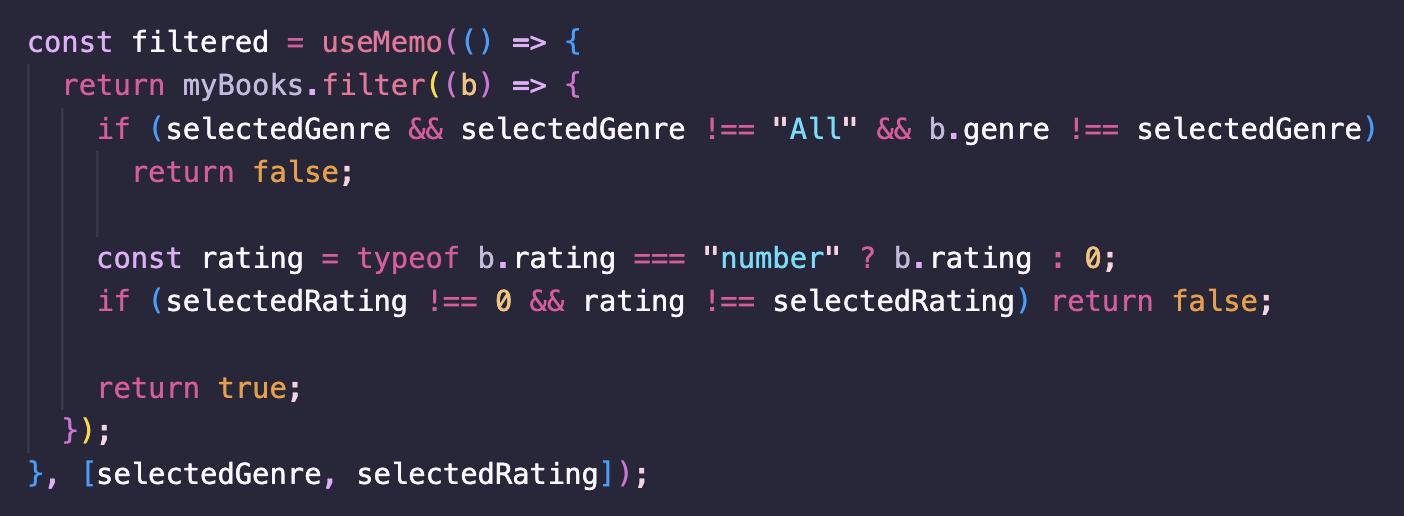
Filter Logic
This portion of the code filters the "myBooks" array based on the selected genre and rating. Using useMemo helps avoid re-filtering on every render, so it only recalculates if the inputs change. This also handles missing ratings and descriptions, and supports multi-criteria filtering.
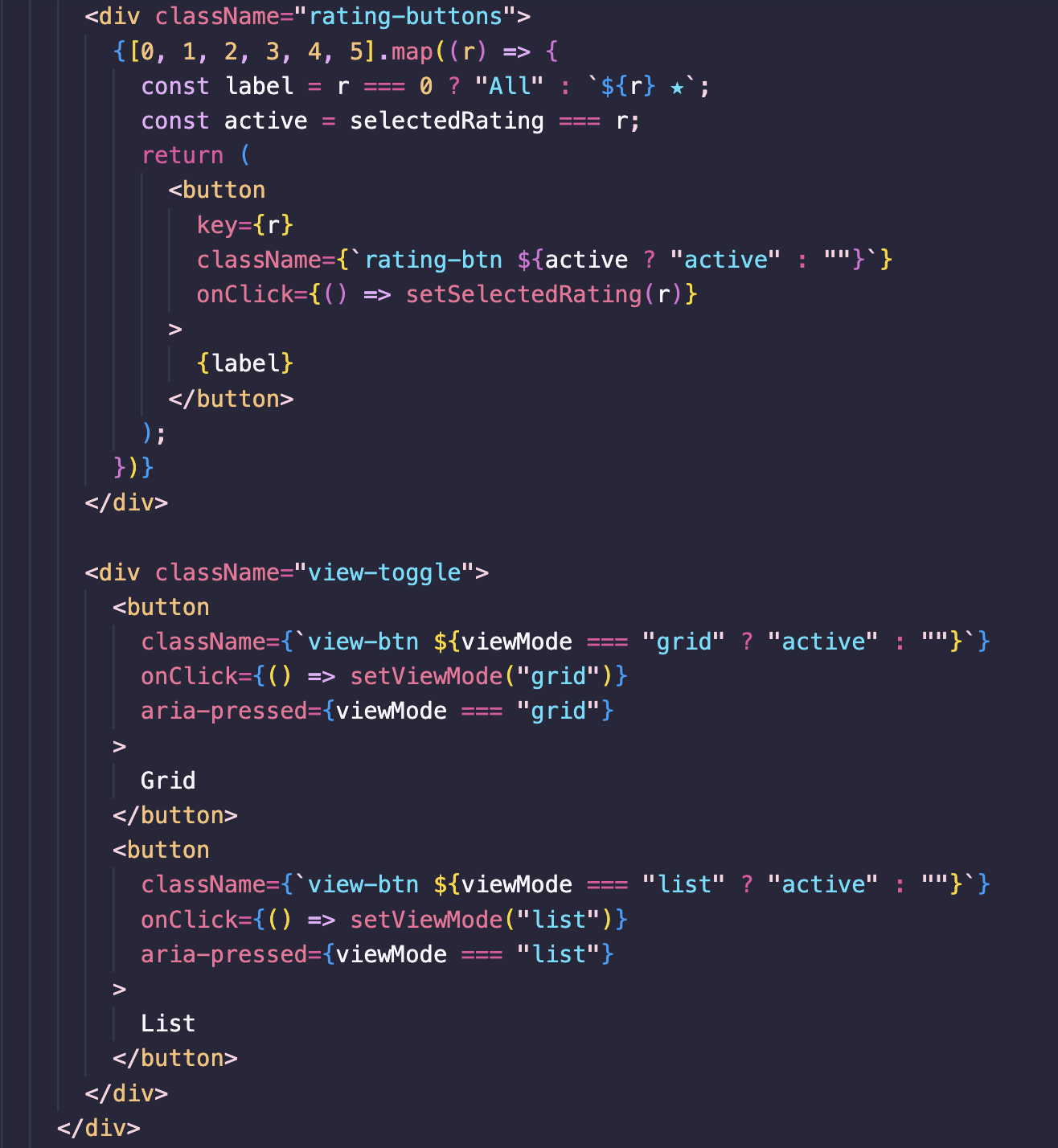
Rating Buttons & View Mode Toggle
These controls let the user filter by rating and switch between grid/list layouts. The rating buttons are generated from an array. Buttons reflect their active state by a conditional class, which keeps the UI and logic tightly synchronized. The "aria-pressed" attribute improves accessibility for assistie tech.
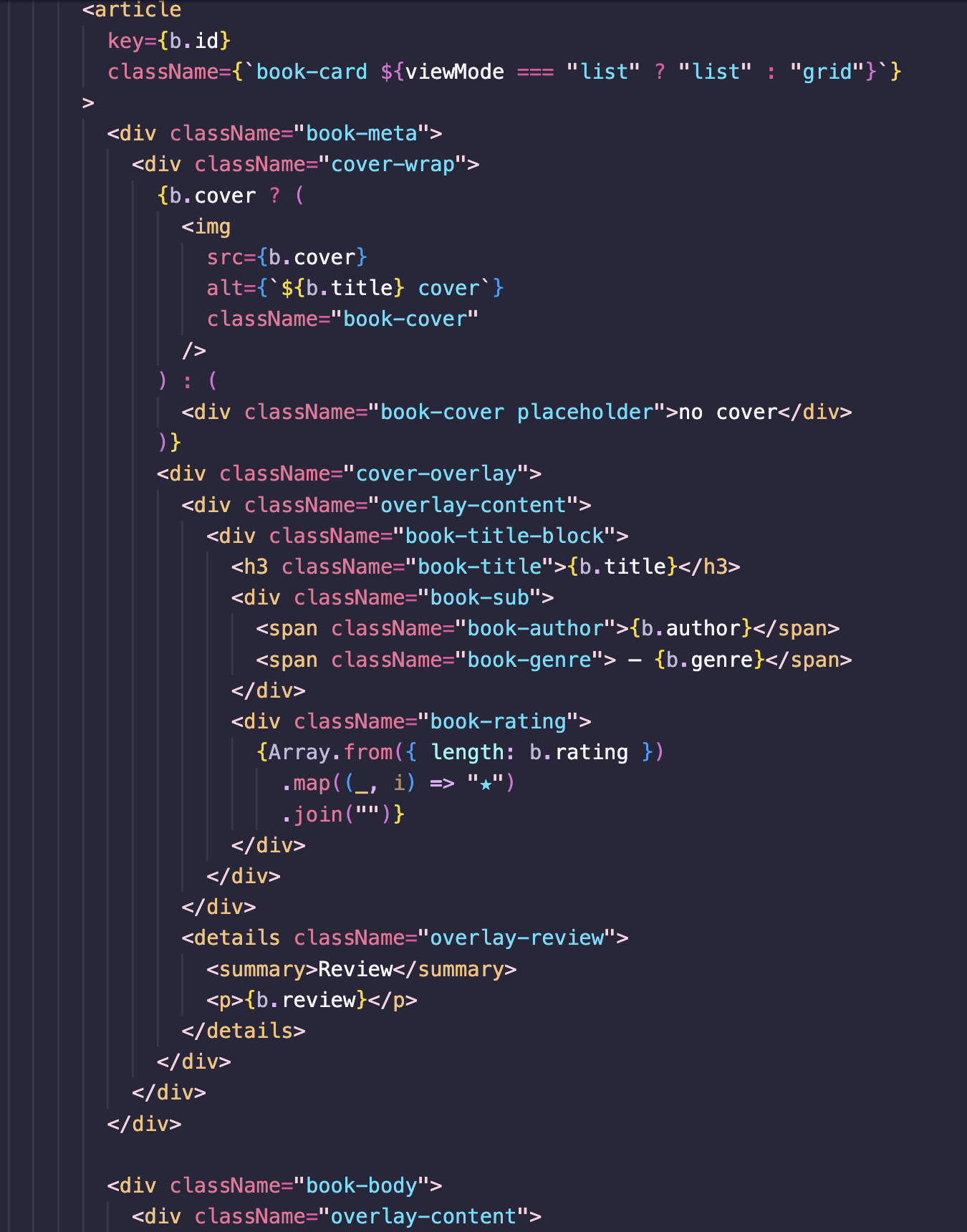

Book Rendering
Each book is rendered as a card that adapts to grid or list layouts. The card handles missing covers by showing a placeholder, and overlays the title, author, genre, and rating when the card is hovered over. The rating is rendered as a repeated star, and the details/summary element provides a simple and accesible way to show the text. This keeps the visuals consistent and makes the cards easy to restyle.