Farming Mechanic
The farming mechanic was, so far, the most complicated mechanic to work on. This page will show how I set up the data for my crops, and coded the scripts to handle tilling, planting, watering, and harvesting.
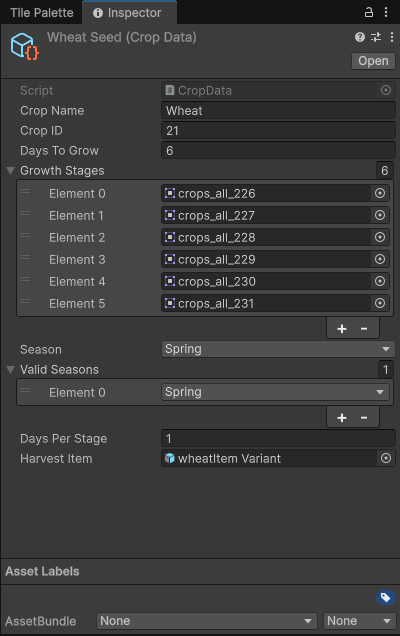
Crop Data
This holds all of the data for my crops/flowers. This keeps track of the crops name, ID, the number of days it takes to grow, the sprites assigned to the growth stage, the number of days the crop is in each stage, the season/seasons the crop can be planted in, and the item that drops when the crop is harvested.
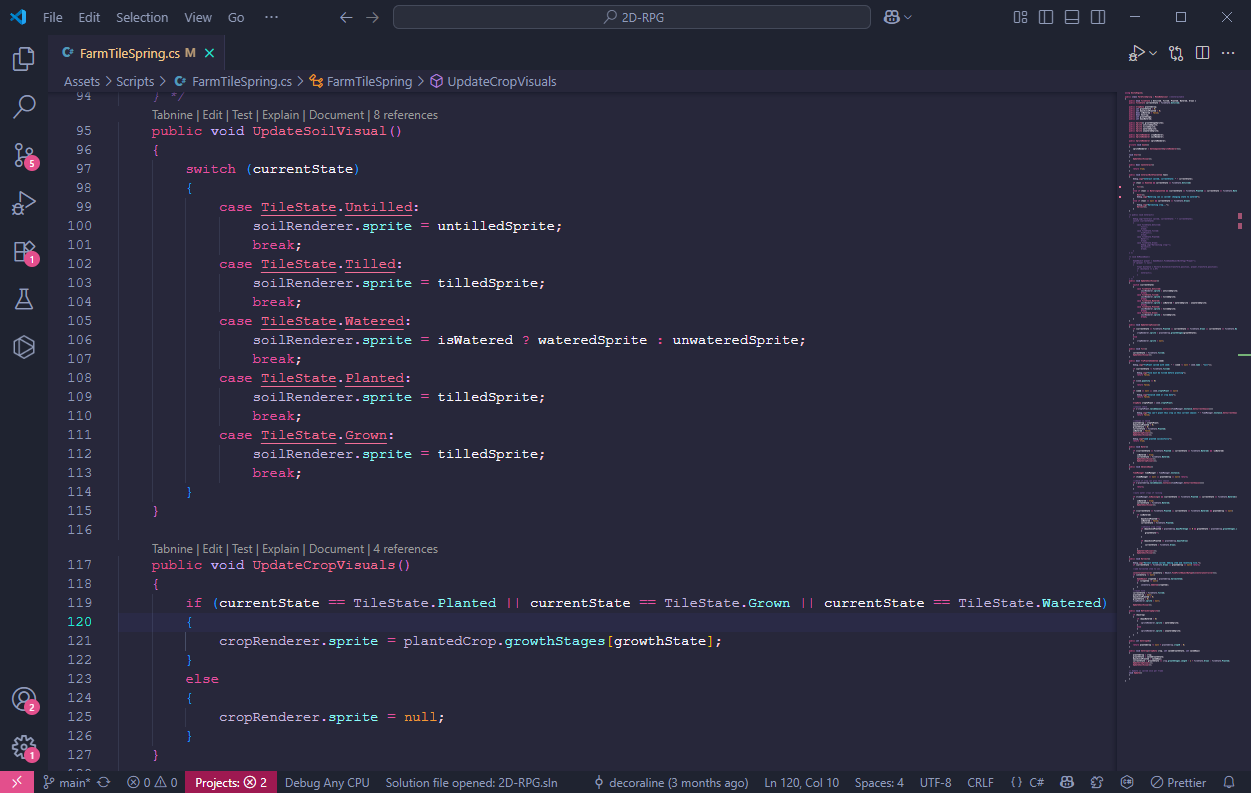
Soil and Crop Visuals
This code snippet shows how the soil and crop sprites change. The "UpdateSoilVisual()" assigns the sprite that should be displayed depending on current state of the tile. If the tile is untilled, the sprite shows as untilled. If the state of the tile is tilled, it changes the sprite to the tilled sprite. This also applies to the crop visuals.
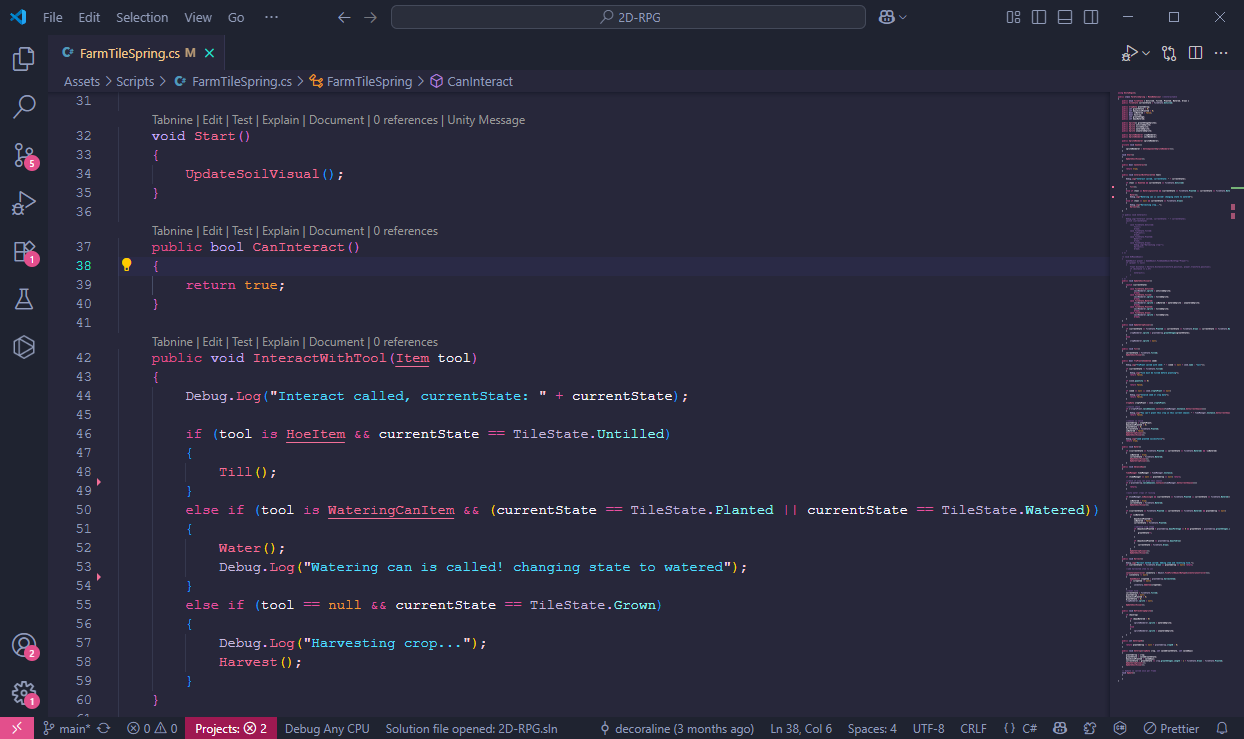
Interact with Tools
This snippet of code handles how the hoe and watering can work. First it checks if the tool in hand is a how or watering can. If it's a hoe, it checks if the tile is untilled. if it is, it calls the "Till()" function with changes the sprite and sets the state to "Tilled". The watering can works the same way, but it checks if the tool in hand is a watering can, and if there's a seed planted. To harvest the crop, it checks if the hand is empty and if the state of the tile is "Grown."
Tilling, Planting, Watering Video
This video shows how tilling, planting, and watering works. After the day ends, a button labeled "next day" pops up. This takes the player to the next day, which changes the crop sprite to the next grow stage (if the crop was watered).
Harvesting
This video shows how harvesting works. To harvest you have to click on it with an empty hand, and the crop shows up in your inventory. (There was originally 4 wheat in my inventory, and at the end there are 8). The last crop wasn't mature yet because it was watered less than the other crops.